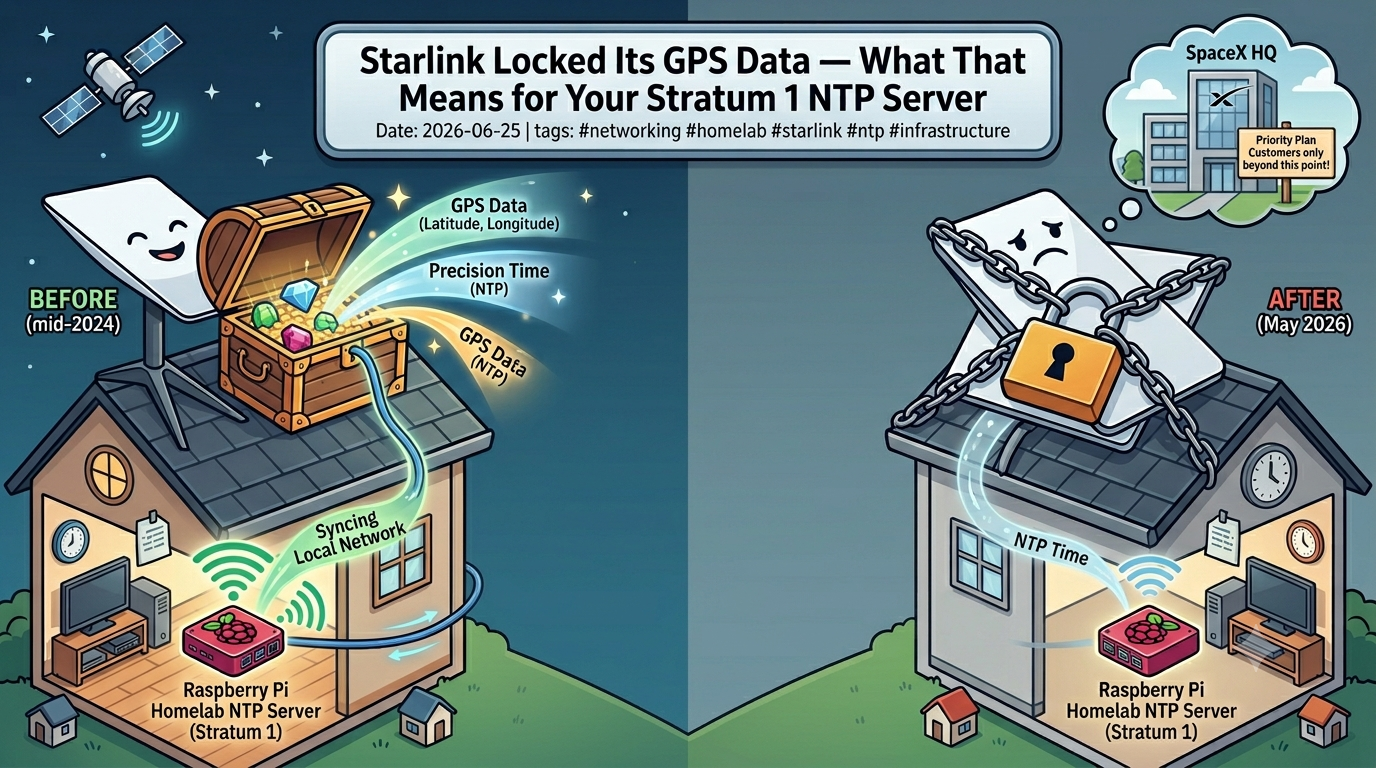
A few weeks ago I wrote about using your Starlink dish as a Stratum 1 NTP server. The GPS receiver inside every dish has been quietly serving GPS-derived time to local networks since mid-2024, and it was one of those hidden gems that made a serious dent in home infrastructure setups. I’ve been running it happily ever since.
Then SpaceX changed things.
What Happened
On 20 May 2026, Starlink removed GPS location data from its local gRPC API — the same interface that third-party tools, Home Assistant integrations, and the NTP trick all rely on for talking to your dish. Customers received an email notification a few weeks prior: “dish location will no longer be available via the local device gRPC API.”
The timing varied by hardware. On newer V4 dishes and the Starlink Mini, the toggle to enable location sharing had already disappeared from the iOS app before the official cutoff date. The Debug Data section in the app — where you’d go to enable local network access — no longer shows the Starlink Location option at all.
Here’s the interesting part: the GPS receiver is still inside the dish, and it’s still working. The dish continues to report gpsValid: true in its gRPC response, along with a satellite count. The hardware hasn’t changed. What changed is that SpaceX decided to stop telling you what it knows.
Why Did SpaceX Do This
No official explanation was given. SpaceX hasn’t publicly commented on the reasoning, but the speculation from developers and analysts who work with this hardware makes sense once you think about the scale of Starlink’s deployment.
The most likely driver is security, specifically military and enterprise security. Starlink has become critical infrastructure in active conflict zones. An unauthenticated local endpoint broadcasting the precise GPS coordinates of a terminal — readable by any device that joins the local network, including guest devices — is, in those contexts, a targeting risk. By closing that endpoint, SpaceX hardens terminals in sensitive deployments against a simple but meaningful attack vector.
Privacy played a secondary role. The location endpoint required no authentication. Any device on your home network could silently read your precise latitude, longitude, and altitude. Most home users never enabled it and didn’t know it existed, but the exposure was real.
The more measured fix would have been adding authentication to the endpoint rather than removing it entirely. Several developers made this point publicly. SpaceX went with the blunter option.
The Partial Reversal
A week after the change went live, Starlink partially reversed course. Priority plan customers had their GPS location API access restored. Everyone else — standard Residential, Roam, and other consumer plans — remains locked out.
For non-Priority customers who still want location data via the API, there’s a fallback: an H3 cell identifier, which places your dish within a hexagonal region on the Earth rather than giving precise coordinates. Depending on resolution, this can be off by hundreds of metres. Useful for some things, useless for precise NTP and navigation.
So the current picture is: if you’re on a Priority plan, you likely still have GPS data access. If you’re on a consumer plan — which covers most home network users running the Stratum 1 NTP setup I described — you’ve lost it.
What This Means for the NTP Setup
This is where it gets nuanced, because the NTP service and the GPS location API are actually separate things, even though both live in the dish.
The NTP server at 192.168.100.1 — the one that serves GPS-derived time to your local network — runs independently of the location API. Starlink’s official support documentation still references it. The endpoint hasn’t been announced as deprecated. As of the time of writing, the NTP service continues to function on standard consumer hardware.
What was removed is the ability to query the dish’s location coordinates via the local API. That’s a different endpoint serving different data — your precise GPS position rather than the current time.
For the chrony setup I described in the previous post, this means: if your NTP server is still working, nothing has changed yet. The time service runs separately and hasn’t been touched. However, given SpaceX’s willingness to close down local API access without much notice, it would be naive to treat the NTP endpoint as permanent.
The responsible move is to make sure your chrony configuration has proper internet fallbacks, which the setup in the previous post already does. If Starlink ever deprecates the local NTP service, chrony will seamlessly fail over to the public pool servers without any intervention needed.
The Broader Pattern
What happened here is a pattern worth paying attention to as Starlink matures from scrappy startup infrastructure into a piece of global critical infrastructure with millions of subscribers and deep involvement in enterprise and military deployments.
The “fun” features that appeared in the early years — the local gRPC API, the unauthenticated location endpoint, the NTP server running quietly on a fixed IP — exist because SpaceX built them in and didn’t lock them down. As the platform scales and as the stakes around it increase, the expectation that these undocumented or lightly documented features persist indefinitely is probably optimistic.
That’s not a criticism, it’s just the reality of how platforms evolve. The NTP server is still there. Use it while it’s there, build your setup with proper fallbacks, and don’t be surprised if one day the behaviour changes.
What To Do Now
If you’re running the Stratum 1 NTP setup from the previous post, check your chrony configuration and confirm your internet fallbacks are in place. The chronyc sources command will show you what your Pi is currently syncing from and whether the Starlink dish is still responding.
If the dish NTP endpoint ever goes away, your fallback chain — pool.ntp.org or whatever public servers you configured — takes over automatically. Your downstream devices won’t notice.
If you’re on a Priority plan and relied on the GPS location API for something beyond NTP — Home Assistant location tracking, RV route mapping, solar forecasting scripts — you should have access restored at this point, though it’s worth verifying.
And if you haven’t set up local NTP yet and you’re still on a standard Starlink plan, the setup is still worth doing. GPS-derived time from a local server beats internet pool time for any home infrastructure use case. The endpoint is working. Whether it keeps working next year is a different question, but for now it’s there.